
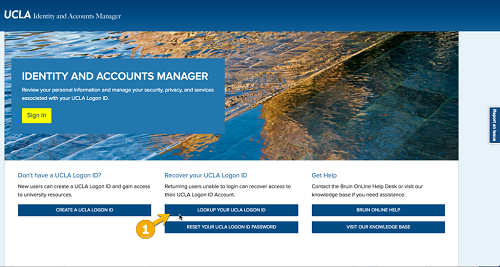
From the main page of the Identity and Accounts Manager you have the option to look up your UCLA LOGON ID with or without your UCLA ID Number (UID). If you need help, contact the IT Support Center.
1. Click Look up Your UCLA ID.
2. On the next screen, click I Do Not Have a UID.
3. On the next screen:
- Enter your Last Name.
- Enter your Date of Birth (DOB).
- Enter your UCLA Official Email Address.
- Click “Look up Your Logon ID.”
4. The next screen will show your Logon ID. It will also be emailed to your official UCLA email address.